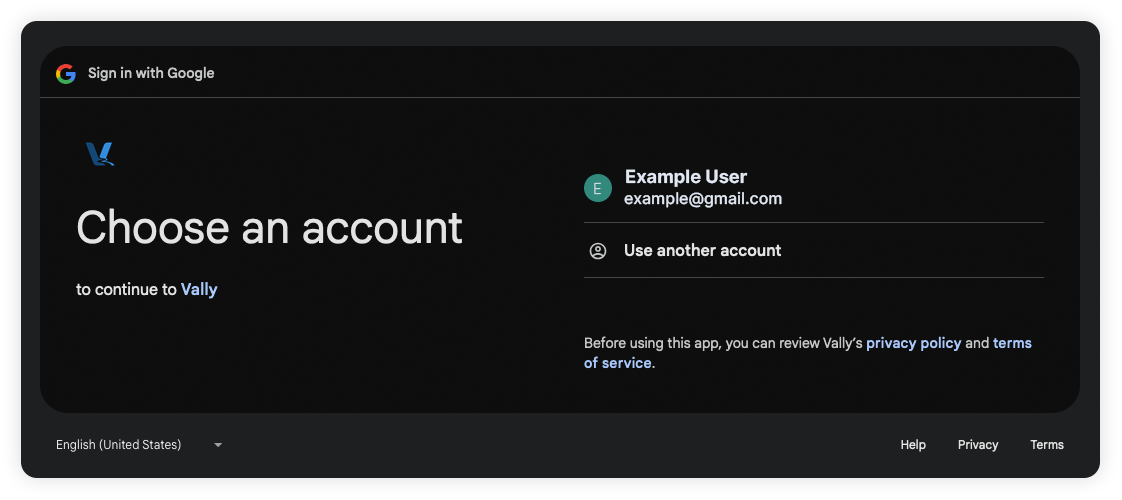
Create Account or Sign-In
To create and sign-in your account at Vally is super easy.
How to Create Your Account
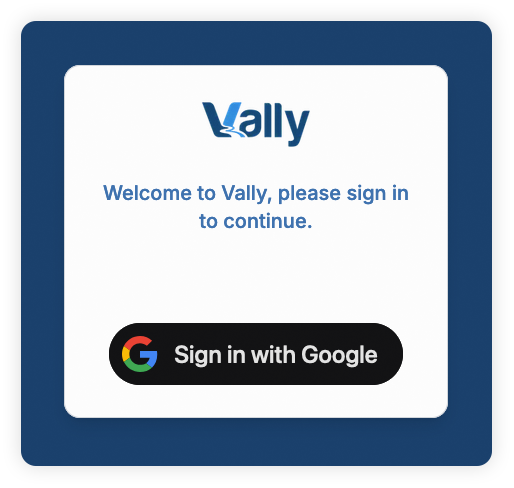
- Go to portal.vallypro.com.
- Click the "Sign in with Google" button.
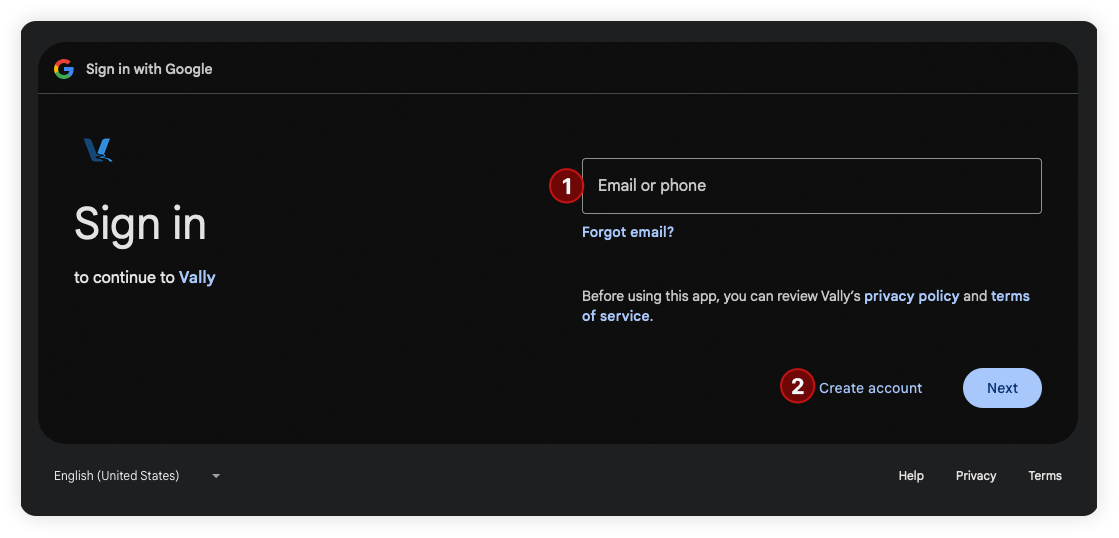
- Choose one of the following:
- Select or sign-in your desired Google account.
- Or if you want to use a non-Gmail email address, click "Create account".
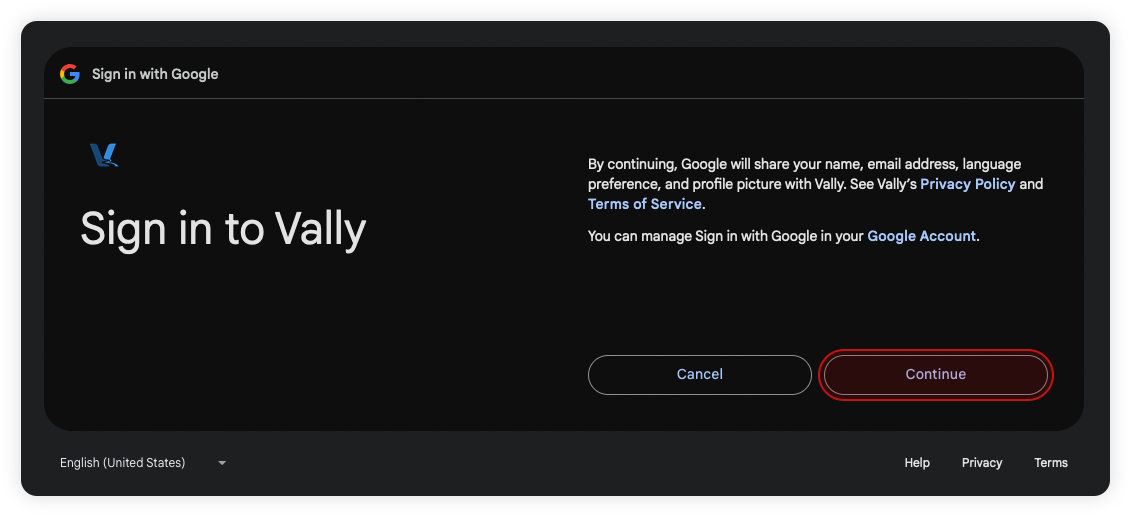
- After selecting and signing in with your account, click "Continue" to finish.
You're all set!
How to Sign-in your Account
- Once you've logged in the first time, your account should be saved in the login list. Simply select the desired account and the login process will be automatic.