Review Calendar functions
Vally's calendar is a powerful tool to help you keep up with your business schedule.
It features:
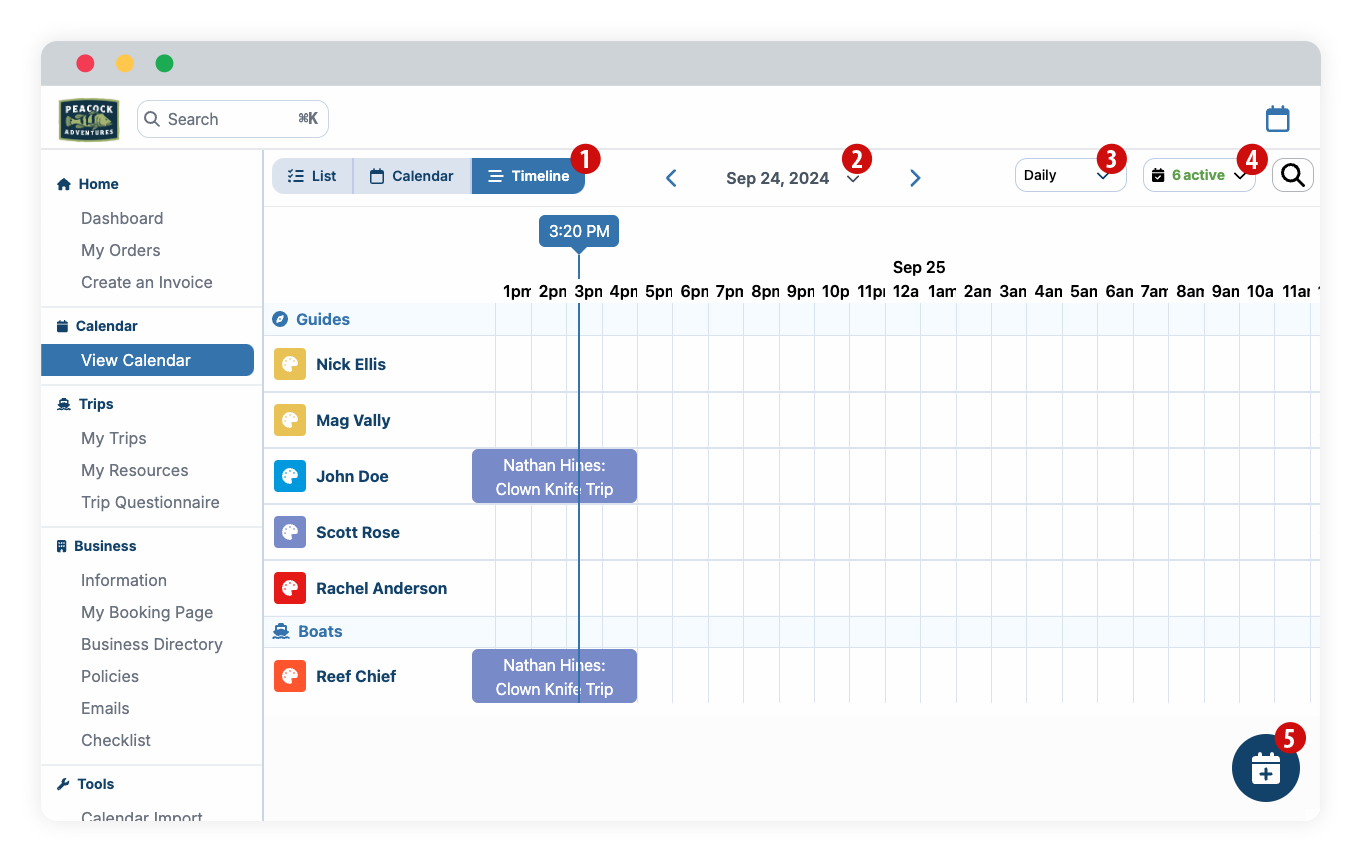
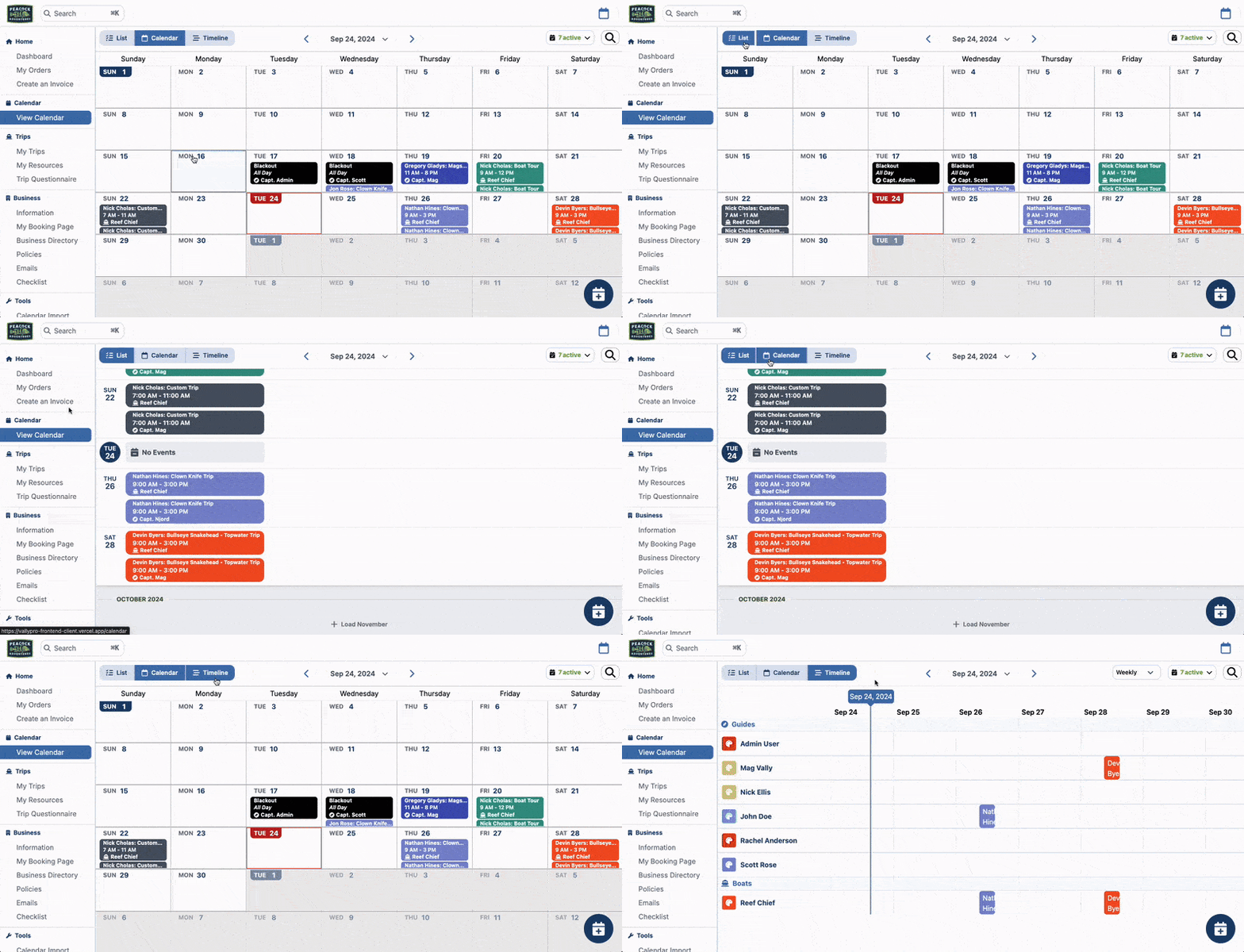
- Three different calendar views: List, Calendar and Timeline
- Quick date search:
- Jump through months using the side arrows
- Click the down arrow to select and jump to a specific date in the calendar
- In the timeline view, select the intervals between Daily, Weekly or Monthly
- Show, hide and change color mode for all members and resources.
How to Create an event or blackout
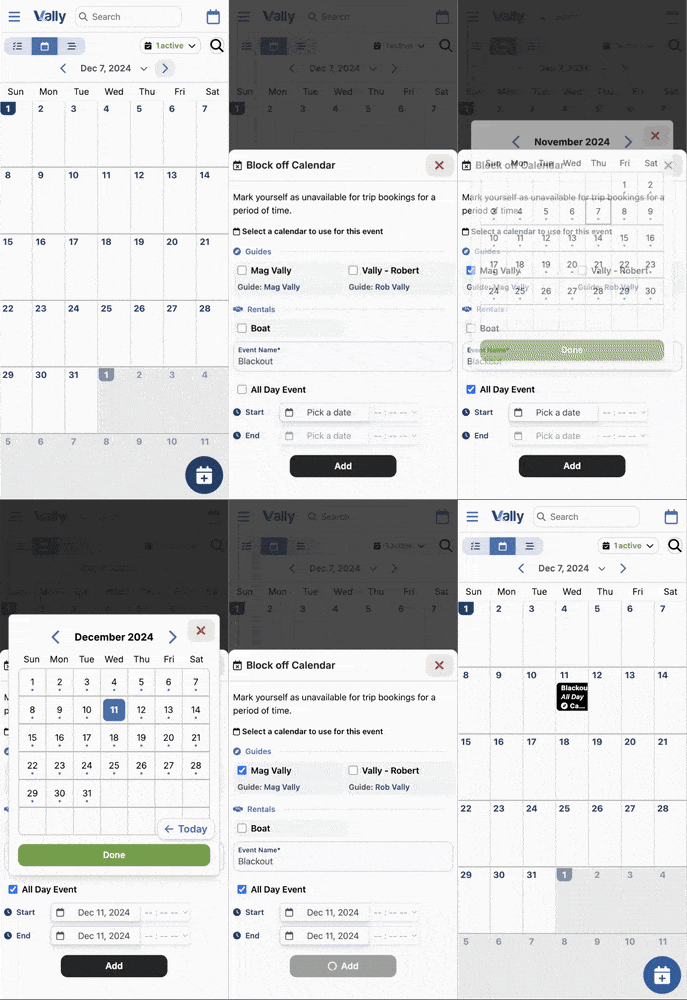
Click the 'Create' button on the bottom right or on any calendar day to quickly add an event or blackout one or more dates in your calendar.
- Adding a new event is the same as creating a custom invoice, so that option let's you quickly jump to creating an invoice for your customers.
- Adding a blackout date can be used for one or multiple members and resources at once.
How to modify or cancel an event
Click any calendar event to bring up options.
- Clicking on the event name will take you to the order details
- Optionally remove that event by clicking the "Delete event" button (Warning: this will not cancel the order, only removes it from your calendar. To cancel an order, you must do it so in the order detail page).