Set Up Stripe (Business)
Vally partners with Stripe for secure payment processing. Stripe ensures your payment collections are PCI compliant, and that the financial data for your business and your customers is encrypted with industry-leading security standards. None of your sensitive bank account information or your customers’ credit card data is stored on Vally’s servers, nor do we have access to it. Everything is encrypted and protected through Stripe.
Proceed through the following steps to connect your bank to Stripe and start processing payments through Vally. These steps are similar to any other payment services provider, like connecting to PayPal, Venmo or Square.
- Select “Banking & Payments” from the Business section on your portal.
- The next screen you see will be a Stripe web page prompting you to enter your email to get started. Please use your business email address that you used to create your Vally account. Next, enter your phone number and hit submit. Stripe will text you a verification code you’ll enter in the next step to confirm your phone number.
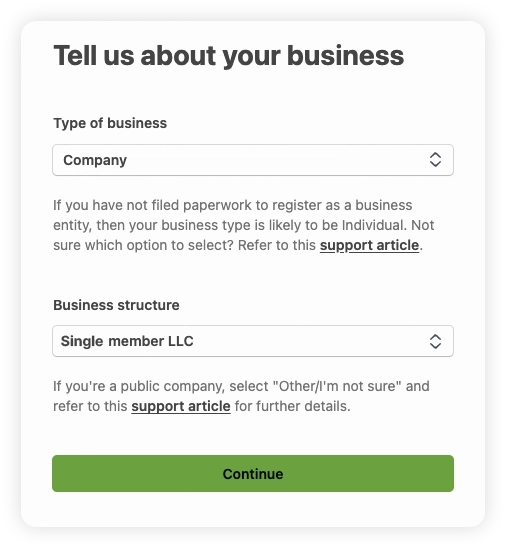
- Select your type of business and structure. It is important to set up your stripe account in the same way that you file your taxes. Assuming you have an LLC, you’ll want to select company. If you do not have a registered business, select individual.
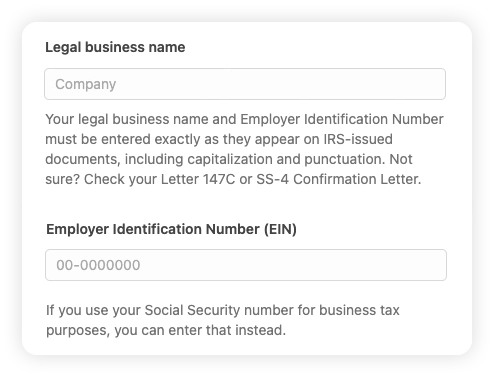
- Enter your legal business name and EIN.
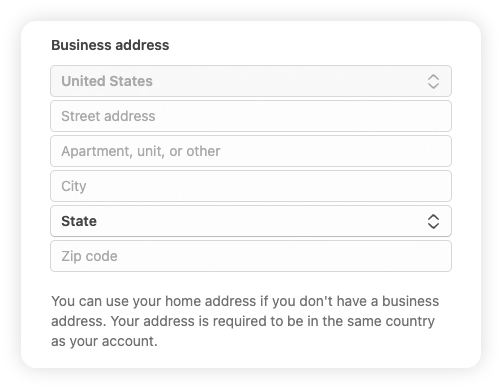
- Next enter your business address exactly as they appear on IRS documents.
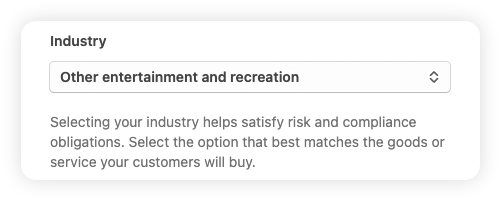
- Select your industry. Stripe doesn’t have an exact match for a majority of businesses using Vally. Most select “Entertainment & Recreation” and then “Other Entertainment and Recreation”. This industry selection does not affect your account.
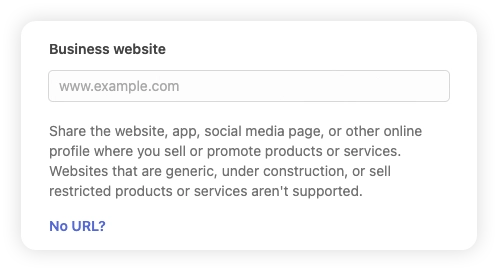
- Enter your website address, then press continue.
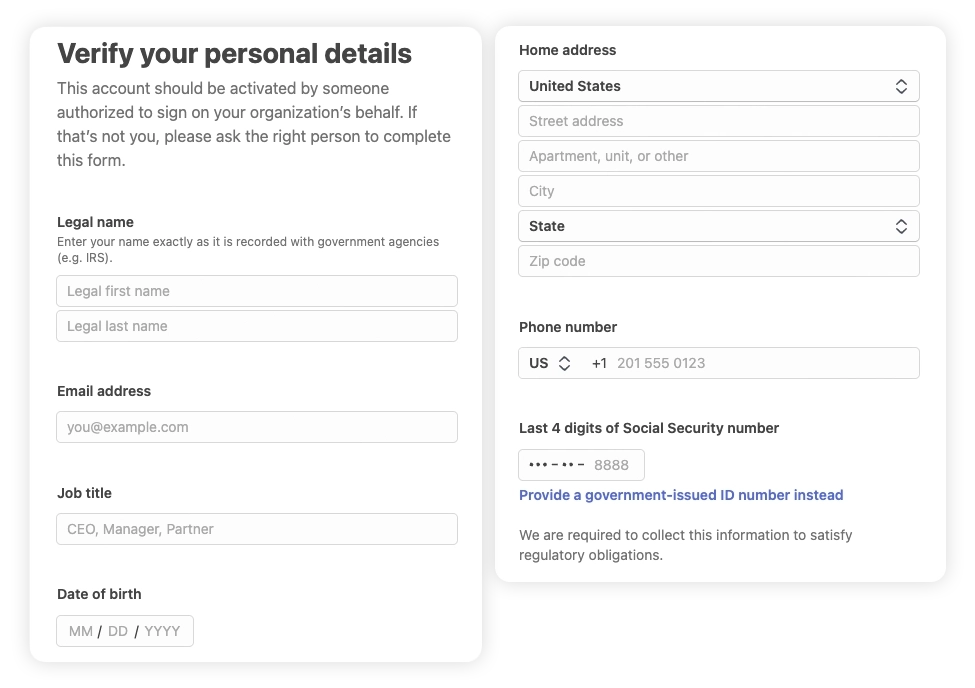
- Next, enter your personal information. Your name, email address for your Vally account, Date of Birth, home address, and the last 4 digits of your social security number.
- Link your business bank account to Stripe.
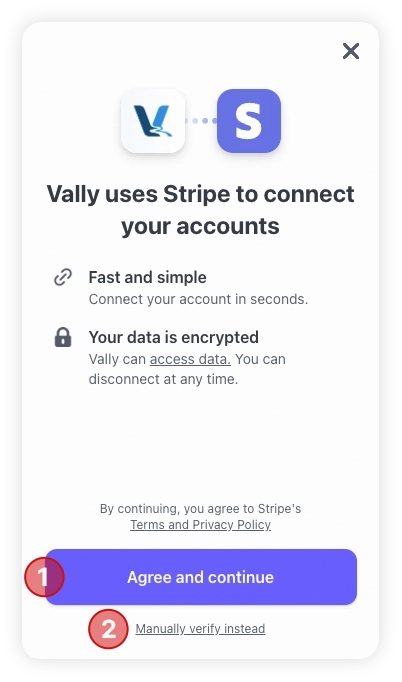
- You can easily search for your bank and log in to link most bank accounts.
- If you run into any issues, you can choose to "manually verify instead" by entering the routing and account numbers of your specific bank account to complete the process.
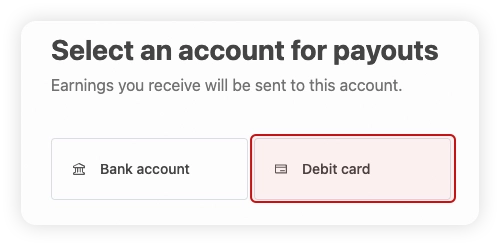
- Alternatively, you can link a debit card instead of either of these options.
- Once you see the success notification, select done. Then, select continue.
- Select the statement descriptor for your business. This is the business name your customers will see on their credit card statements for your charges.
- Review all your information, then select “Agree and Submit”. You will be taken back to your account on Vally’s portal. You will be able to process payments within 24 hours of completion!