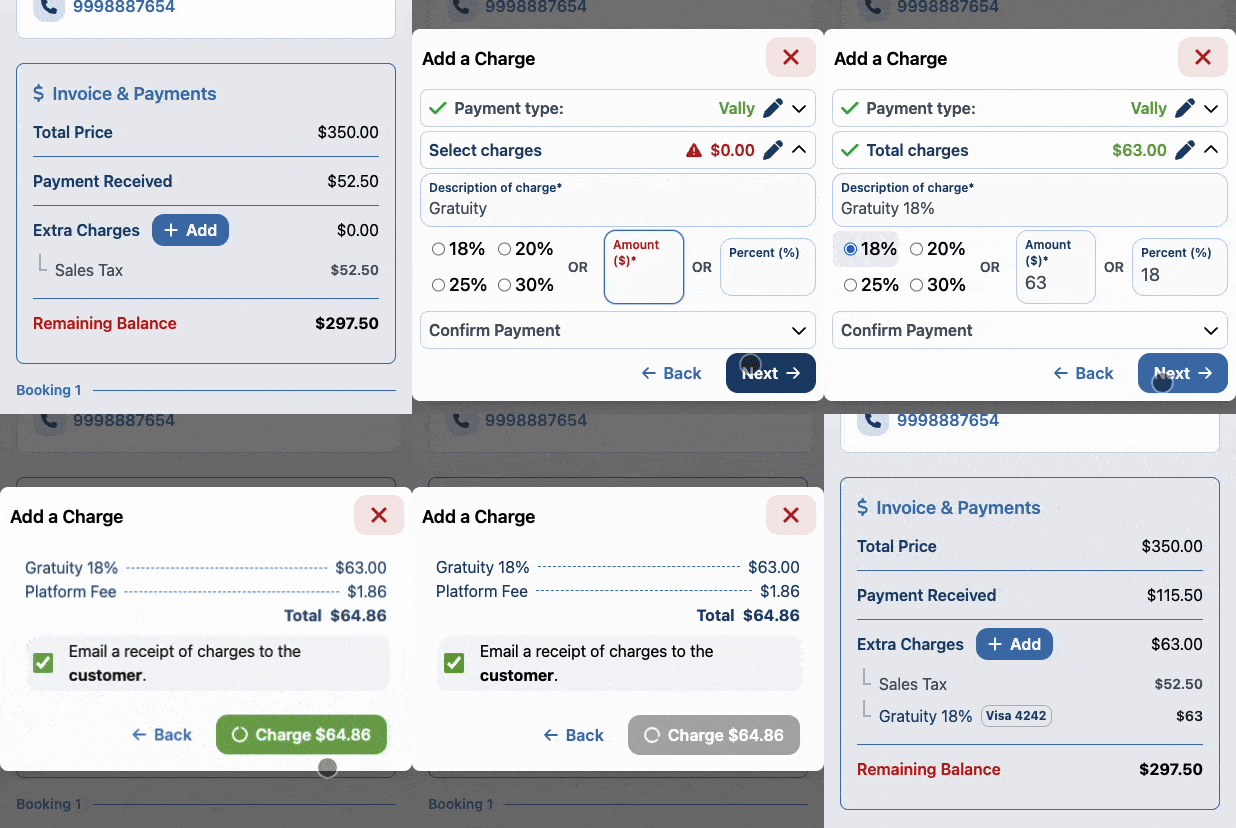
Add and Collect Gratuities and Extra Charges
Add a gratuity or another charge to a Vally order and collect the updated balance.
Playback speed: 1×
The recording could not be played. Please try again.
To add gratuities and other extra charges, head to the Order details page, and search for the Invoice & Payments section.
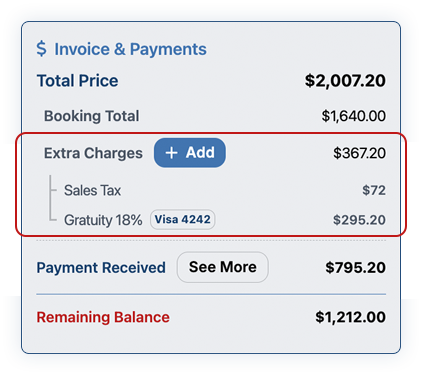
How to add Gratuities and Extra Charges
- In “Extra Charges” click the ”+ Add” button
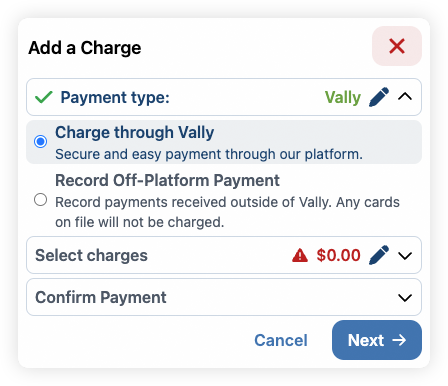
- Select if the payment is going to be charged through Vally or if you’re going to register an off-platform payment.
- Enter the description and enter the desired amount
- By default, when selecting a pre-set percentage option, the description will be “Gratuity.” However, you can update it at any time.
- Choose to charge a fixed amount or a percentage, depending on your needs.
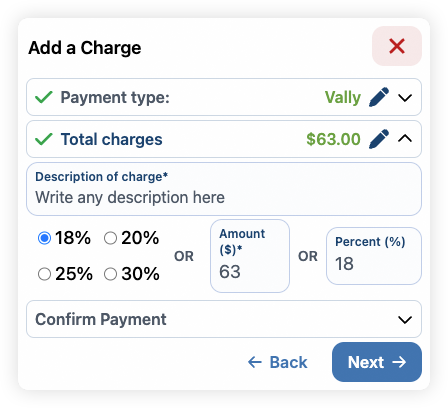
- Select a payment option and proceed.
- Review the information and confirm. You can also decide whether to send an email to the customer.
- The payment will be processed and you will get a confirmation.
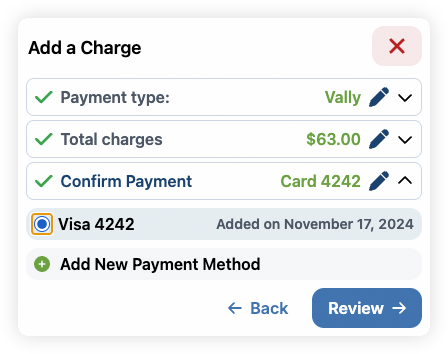
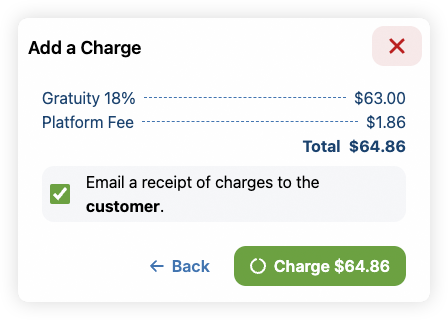
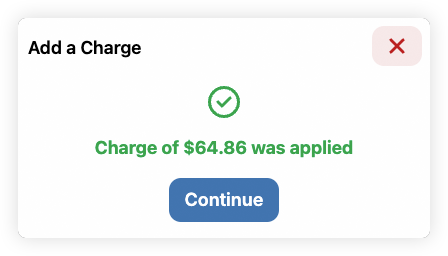
You can also follow the whole process below.