
Learn how customers can pay deposits
Learn how customers pay a Vally booking deposit online or from an invoice.
Playback speed: 1×
The recording could not be played. Please try again.
There are two ways a customer can pay the deposit for a booking. They can pay through your online booking page, or through an invoice you create for them.
1. Booking Page
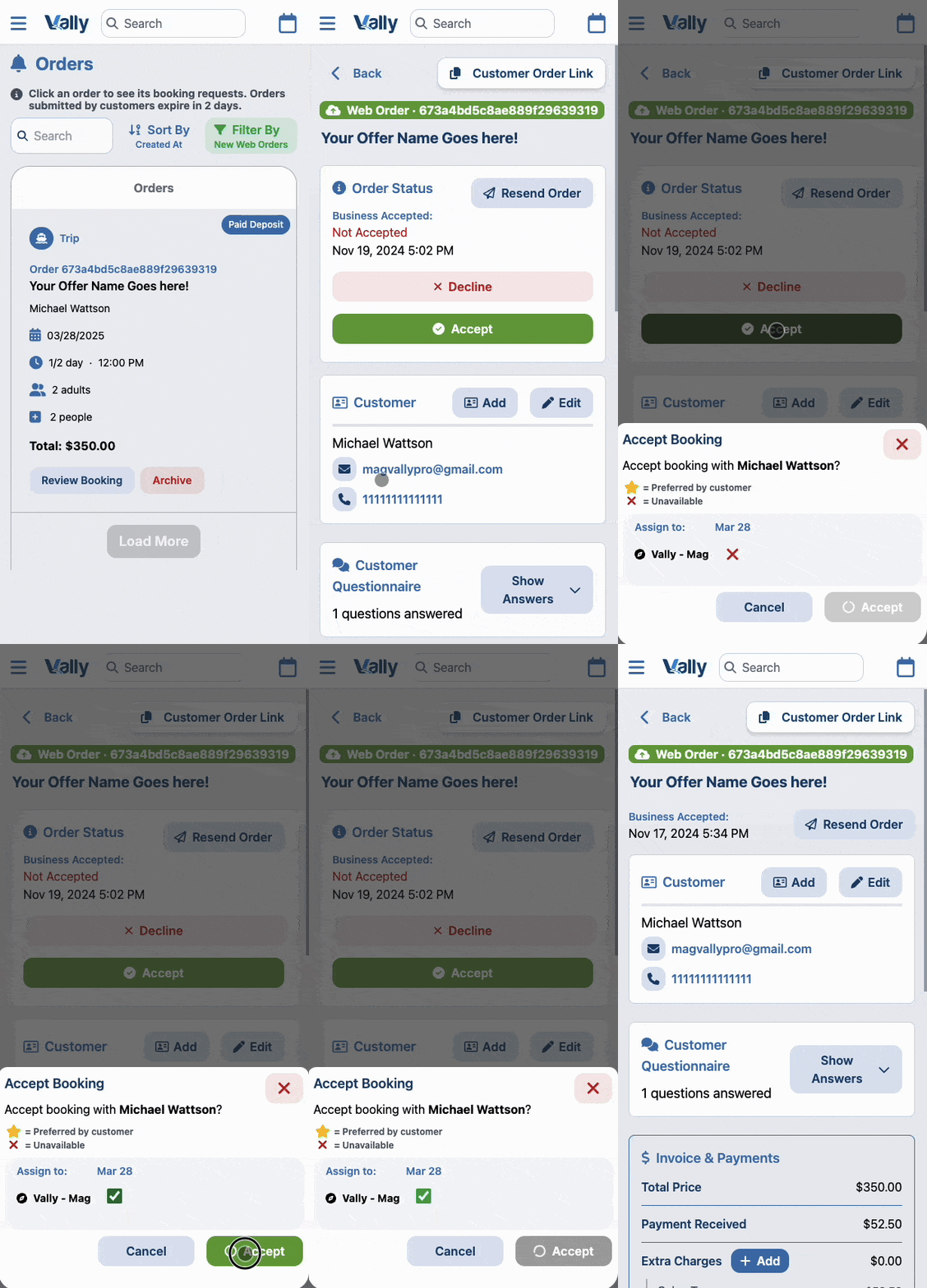
When a customer books your offers through the online booking page, the deposit payment is automatically processed at checkout. You then have to review the booking request and decide whether to approve it.
To do so, first head to the “My Orders” page or click “New Online Booking Requests” on your dashboard. Then click the request to review and approve or decline it.
2. Custom Invoice
You can also create custom invoices, allowing you to assist customers with booking trips, accommodating specific requests, and setting custom prices. This generates a payment link that can be copied or automatically sent to the customer’s email.
See Create a Booking from Custom Invoice for the current invoice controls, payment choices, and expected result.